ElevenReader: Read Books Aloud
- 4.4
- Rating
- 1.00M
- Installs
- Free
- Price

 Analysis by App-foxy
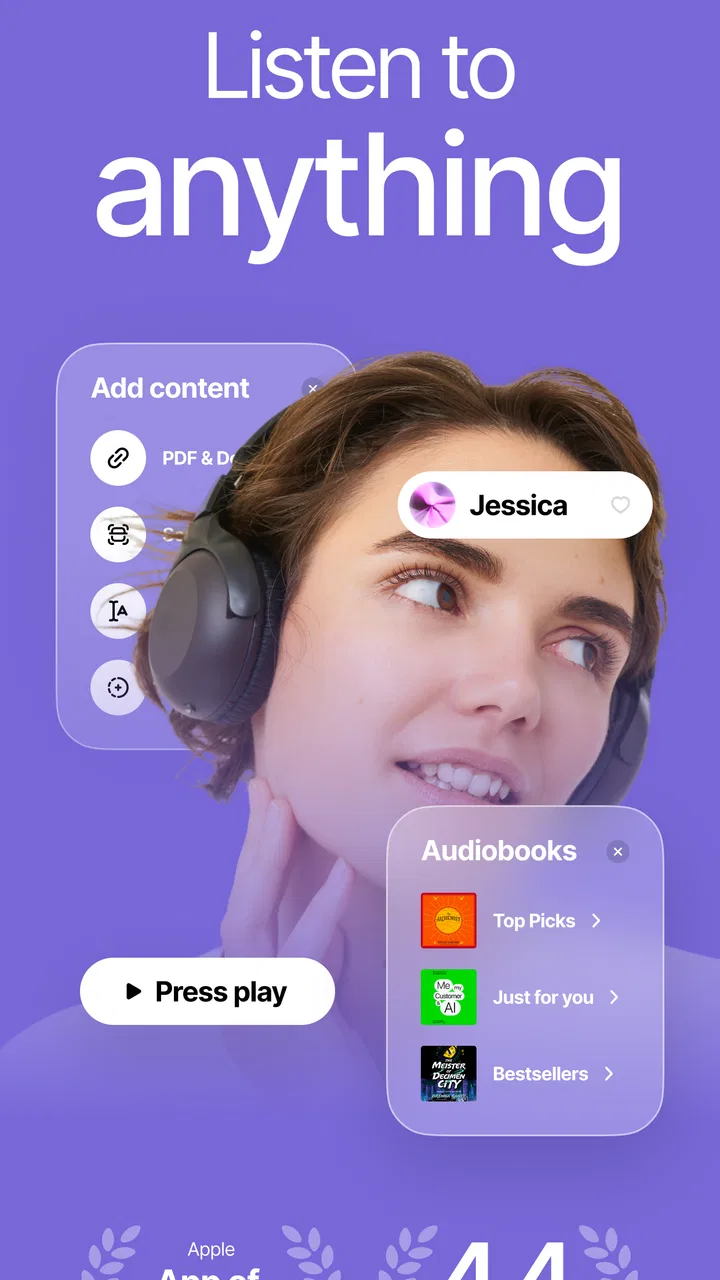
Reading on a phone is not always a matter of finding the time. Sometimes the text is too small, the page is tiring to scan, or your attention works better when information is spoken. ElevenReader - Voice Reader takes a practical approach to that problem by turning written material into spoken audio. I reviewed it as a reading companion rather than as a replacement for every audiobook service, and I found its strongest value in the way it brings ordinary text, PDFs, eBooks, and other reading material into a listenable format.
That makes it especially interesting for people who move between visual and audio reading. I can imagine using it while preparing dinner, walking around the house, or giving my eyes a break after a long day. It also has potential for readers who find dense pages difficult to navigate, although the experience depends heavily on the quality and structure of the source document. The app is free to install, is aimed at Everyone, and comes from Eleven Labs Inc. Its public reception is strong, with an average rating of 4.5 from around 57 thousand ratings and more than a million installs.
How ElevenReader handles readability and navigation
I found the most useful way to judge readability in ElevenReader is to pay attention not only to the voice, but also to how the source is arranged. In this section, I look at the small decisions that make it easier to keep your place and follow a document, especially when you move between listening and checking the page. That practical view leads into a closer look at how different people can fit spoken reading into daily life.
You May Also Like

 Blood Strike: 2.5 Anniversary
Blood Strike’s Loadouts Turn Every Drop Into a Tactical Gamble
A close look at Blood Strike’s custom loadouts: how fast access to signature weapons reshapes its battle royale rhythm, rewards preparation, and narrows the gap between fights.

 Pandora - Music & Podcasts
Pandora’s Music Is Easy to Start, but Harder to Recover
Pandora’s strength is its low-effort path from a seed to a station. Its weak spot is how much confidence it asks you to place in connection, setup, and quiet recovery.

 8 Ball Pool
 Is Built on Rivalries, Rematches, and Routine
A close look at the rivalries, rematches, shared routines, and unanswered safety questions that turn a quick pool match into a persistent mobile community.

 Samsung Music
’s Quiet Strength Is Playing What You Already Own
Its reach comes less from spectacle than from dependable access to a personal library. That simplicity is both the app’s strongest retention engine and its ceiling.

 AccuWeather: Weather Radar
AccuWeather Review: A Quick, Clear Forecast for Everyday Decisions
For everyday plans, the best forecast is the one you can understand quickly. AccuWeather makes rain timing, radar, and local conditions easy to act on, with a few trade-offs.

 Hill Climb Racing
Why Hill Climb Racing Still Turns Crashes Into One More Run
A tiny car, a bumpy hill and one more upgrade: Hill Climb Racing keeps resurfacing because its simple chaos makes every near-miss feel personal.
More From Our News Desk



A useful bridge between pages and spoken content
The central idea is simple: instead of limiting spoken reading to books purchased from a dedicated audiobook catalog, ElevenReader focuses on text you already have or want to read. Its Books & Reference placement makes sense because the app sits between a conventional eBook reader, a PDF reader, and a text-to-speech tool. That flexibility is more meaningful than it first sounds. A person may have a study document, an article, an eBook, or a long piece of text that does not come with a professionally recorded audio edition.
In my experience, the most useful change is not merely hearing words aloud. It is being able to switch the way I consume the same material. I might look at a page when I need to inspect a diagram or confirm a spelling, then return to listening when the text becomes continuous. That mixed approach is often less tiring than forcing myself to read every line visually or listen to everything without checking the original page.
For readers with dyslexia, visual fatigue, attention difficulties, or a preference for auditory learning, this flexibility can make a long document feel less intimidating. I would not describe it as a universal accessibility solution, because different people need different controls and presentation styles. Still, the basic concept removes one common barrier: the assumption that reading must always happen through sustained visual scanning.
Where document structure matters
The quality of the experience depends on how cleanly the source text can be interpreted. A well-structured book or document is likely to be easier to follow than a badly formatted scan, a page full of columns, or a file where headings and footnotes are mixed into the main text. This is an important trade-off. Voice reading can make text more approachable, but it cannot automatically make every document logically organized.
I recommend testing a short section before committing to a long reading session. Listen for whether headings, page elements, captions, and footnotes appear in a sensible order. If they do not, the problem may be the document rather than the voice itself, but the result is still frustrating for the listener. This quick check is particularly valuable for students and professionals who need accuracy rather than casual background listening.
There is also a difference between reading for enjoyment and reading for reference. For a novel or a straightforward essay, continuous narration can feel natural. For a technical manual, legal document, recipe, or academic paper, I would keep the visual version nearby. Spoken narration is excellent for moving through paragraphs, but it is less convenient when I need to compare two passages, inspect a table, or jump repeatedly between sections.
Navigation is more than pressing play
A good reading workflow needs more than a voice that sounds pleasant. It needs a way to regain your place, pause without losing context, and move through material without unnecessary effort. ElevenReader is most appealing when I treat it as a flexible reading layer over different kinds of text. I can use it for a focused session, stop when needed, and return later rather than treating every document as a single uninterrupted performance.
My practical advice is to divide demanding reading into manageable sessions. For a long report, I would begin with one section, make a note of the point where I stopped, and use the visual document to confirm important details afterward. This reduces the risk of hearing information passively without remembering how it fits into the larger argument. It also makes the app more useful for people whose attention varies during the day.
Readers who want the exact browsing experience of a traditional eBook app may find this approach less familiar. A conventional reader usually emphasizes page layout, bookmarks, highlighting, and visual control. ElevenReader’s appeal is different: it gives the text a voice and lets the reader change context. If your main goal is to annotate heavily or compare editions, a specialized reading app may still be better.
How it supports different abilities and everyday situations
I think the value of spoken text changes with the person and the moment: it can ease visual effort, but it may be less helpful when hearing is the main barrier or a document needs close inspection. Here, I consider those differences alongside ordinary situations such as commuting or doing chores, so the next section can weigh who is likely to benefit most and where another reading option makes more sense.
Visual comfort and sensory load
Listening can reduce the strain associated with prolonged screen viewing, but it does not remove every sensory consideration. A voice that is comfortable for one person may feel distracting or tiring to another, especially during a long session. I would start with short periods and adjust my environment before deciding whether the app works for me. A quiet room, a moderate volume, and a familiar type of text can make a noticeable difference.
For someone with low vision, spoken text may be easier than navigating dense pages, particularly when the source is a long block of prose. However, the visual interface still matters when importing, selecting, or locating material. A person who cannot comfortably inspect small controls may need device-level display adjustments or another person’s help during setup. That does not make the app useless, but it means the listening benefit may be strongest after the initial navigation work is complete.
For people with hearing loss, auditory reading may not be the right primary method. The app can still be part of a mixed workflow if the visual text remains available, but I would not recommend choosing it solely for spoken output when captions, transcripts, or highly adjustable visual presentation are essential. The right choice depends on whether audio is an aid, a preference, or a barrier.
Motor effort and hands-free reading
Voice reading can reduce the amount of continuous touching, swiping, and holding that a person needs to do. That is helpful for anyone with hand fatigue, limited dexterity, repetitive-strain concerns, or simply a busy routine. Once the material is ready, listening can be easier than repeatedly scrolling through a long page. This is one of the app’s most practical advantages, even though it is easy to overlook in a short store description.
There is a useful distinction between starting a session and maintaining one. Preparing a document may still involve several precise actions, and pausing or changing position may require interaction with the phone. If touch accuracy is difficult, I would prepare the reading material in advance and avoid relying on frequent controls during the session. The app is most comfortable when the listener can let a section play without constant intervention.
A realistic example is a commuter who wants to review a public-domain book or a saved article before arriving at work. Looking at a phone while moving is unsafe and often impractical, while listening allows the person to keep their attention on the surroundings. The same applies at home: I can listen while folding laundry, but I would not expect to perform detailed research without occasionally returning to the screen.
Attention, fatigue, and different reading rhythms
Some readers process information better when they hear it. Others use audio to maintain momentum through material that would otherwise be postponed. ElevenReader can help in both situations, but listening is not automatically easier than reading. If the narration moves faster than your preferred pace, or if the source contains unfamiliar names and technical terms, comprehension can drop even when the audio is clear.
I find it useful to separate “getting through the material” from “studying the material.” Audio is well suited to introductions, general explanations, and repeated exposure. For memorization, calculations, quotations, and exact instructions, I would combine listening with visual checking. A student could listen to a chapter while reviewing the broad argument, then return to the page to mark definitions and examples.
This two-pass method is one of the better ways to use the app. The first pass provides continuity and helps overcome the reluctance to begin. The second pass handles precision. It avoids expecting one format to do everything and makes the app more valuable for readers with uneven concentration or limited energy.
Situational access beyond disability
Accessibility is also about circumstances. Eyestrain, poor lighting, a crowded commute, a temporary injury, or a household task can all make visual reading inconvenient. In those moments, a text-to-speech reader is not just a special-purpose tool; it is a way to keep reading habits alive when the usual setup is unavailable.
I especially like the possibility of using it with material that has no ready-made audiobook. That could include a long article, a personal document, or an eBook that I already own. The advantage is convenience rather than the polished performance of a studio audiobook. If I want character acting, music, or carefully produced narration, a traditional audiobook remains the stronger choice. If I want access to text that would otherwise stay silent, ElevenReader is more flexible.
The free entry point also makes experimentation easier. The app is listed as free, while in-app purchases range from less than a dollar to one hundred dollars per item. I would therefore explore the basic experience first and pay attention to any purchase prompts before deciding whether optional spending is worthwhile. The presence of purchases does not automatically make the free version poor, but readers should understand that “free” does not mean every possible capability necessarily has the same cost.
Remaining barriers and realistic limitations
The first limitation is that spoken text is only as reliable as the text extraction and ordering behind it. Scanned pages, complex layouts, tables, and documents with unusual formatting can produce a less natural listening experience. I would not use the app as my only method for checking sensitive instructions, financial details, or study material where a misplaced word could change the meaning.
The second limitation is the difference between convenience and control. Traditional reading apps often give users a mature set of visual tools for highlighting, searching, and organizing notes. A voice-centered workflow can feel liberating when I want to keep moving, but less efficient when I need to analyze a document closely. This is not a flaw in the central idea; it is a reason to choose the app for the right job.
Another consideration is personal tolerance for synthetic narration. Even when the voice is natural enough for everyday listening, some people will prefer their own silent reading or a human-narrated audiobook. I would test several kinds of content rather than judging the experience from a single paragraph. Fiction, news, academic writing, and dialogue place different demands on narration.
People who need extensive customization should also be cautious about assuming that every desired adjustment will be available in the exact form they expect. Reading needs vary widely: one person may prioritize speed, another may need clear pauses, and another may depend on visual confirmation. I would treat ElevenReader as a strong option for converting text into audio, not as a promise that every accessibility preference is covered.
Version, compatibility, and who should try it
The current version is 1.4.97, and the listed minimum operating system is Android 7.0. That makes the app approachable for people using older Android hardware, although real comfort will still depend on the phone’s screen, speakers, headphones, and general performance. Someone with an older device should try a short document first, especially if they plan to listen for long periods.
I think the app is a good fit for readers who already have text they want to hear, people who experience visual fatigue, students who benefit from a second way to review material, and anyone who wants to make use of otherwise idle listening time. It is also worth trying if conventional audiobook catalogs do not cover the material you need.
I would skip it, or use it only as a secondary tool, if your priority is a fully produced audiobook experience, detailed visual annotation, complex document comparison, or guaranteed accuracy with heavily formatted files. In those cases, a dedicated audiobook service, eBook reader, screen reader, or document tool may suit you better. ElevenReader is strongest when flexibility matters more than a perfect reproduction of a printed page.
My inclusive verdict
After using it as a voice-based reading companion, I see ElevenReader as a thoughtful option for making more written material available in more situations. Its main strength is not a single dramatic feature. It is the shift from asking “Does this text have an audiobook?” to asking “Can I listen to this text at all?” That change can be meaningful for people with different reading abilities, changing energy levels, or limited opportunities to sit and look at a screen.
The experience is not equally smooth with every document, and it should not replace visual checking when accuracy, layout, or detailed study matters. Some readers will also prefer a human performance or a conventional eBook interface. Those are real boundaries, not reasons to dismiss the app.
For me, the best use is a blended routine: listen to move through a chapter or article, look at the source when structure and precision matter, and prepare difficult documents in small sections. That approach respects both the strengths and the limits of speech. Given its free starting point, Everyone age rating, broad text-reading purpose, and strong reception, I think it is worth trying for anyone who wants a more adaptable way to read. Its real value is giving written material another route into your day.
FAQs for ElevenReader: Read Books Aloud
01What is ElevenReader - Voice Reader?
ElevenReader - Voice Reader is an application designed to convert text into spoken words, providing a seamless experience for users who prefer listening to content. It's ideal for multitasking, allowing users to enjoy books, articles, or documents hands-free while on the go.
02Which platforms is ElevenReader available on?
ElevenReader is available on both Android and iOS platforms. This ensures that users can access the app regardless of their device preference, making it versatile and convenient for a wide range of smartphones and tablets.
03What are the main features of ElevenReader?
ElevenReader offers features like customizable voice options, adjustable reading speeds, and support for various text formats. Users can tailor their listening experience, ensuring the app meets their personal needs and preferences, whether for leisure reading or learning.
04Is there a cost associated with using ElevenReader?
ElevenReader offers a free version with basic features, but for an enhanced experience, users can opt for a premium subscription. The premium version provides additional functionalities such as more voice options and ad-free usage, enhancing user satisfaction.
05How user-friendly is the interface of ElevenReader?
The interface of ElevenReader is designed to be intuitive and user-friendly, making it easy for users of all ages to navigate. With clear instructions and a straightforward layout, users can quickly set up and start using the app without any technical difficulties.
Pros
- Excellent text-to-speech quality.
- Supports multiple languages.
- User-friendly interface.
- Customizable reading speed.
- Integrates with popular apps.
Cons
- Limited offline functionality.
- Occasional syncing issues.
- Requires constant internet.
- Ads in free version.
- Subscription can be costly.

ElevenReader: Read Books Aloud
Gallery